By this point, CyberTron had changed quite a bit from the $150 computer I originally dragged home.
It had more memory.
It had a real GPU.
The RTX 3060 12 GB had completely changed what the machine could do with local AI.
Ollama was running.
Open WebUI was running.
The system was finally starting to feel less like an old desktop I was experimenting with and more like an actual AI server.
There was just one problem.
The operating system was still running on a mechanical hard drive.
Yes.
After upgrading the RAM.
After installing an RTX 3060.
After getting local AI models running on the GPU.
CyberTron was still booting from spinning rust.
The Next Bottleneck Wasn’t AI
|
The GPU upgrade was a major step forward because it directly affected what models CyberTron could run and how well it could run them.
The storage upgrade was different.
Replacing the hard drive with an SSD wasn’t going to suddenly let me run a larger AI model.
It wasn’t going to add VRAM.
It wasn’t going to improve CUDA performance.
But it was going to improve nearly everything else the machine did.
Linux boots from disk.
Docker reads and writes to disk.
Containers store data on disk.
Applications load from disk.
Logs are constantly written to disk.
Updates install to disk.
Databases live on disk.
And when all of that is happening on an old mechanical hard drive, the entire machine spends a lot of time waiting for a spinning platter and a moving read/write head.
That is perfectly acceptable for bulk storage.
It is not where I wanted the operating system of an AI server living in 2026.
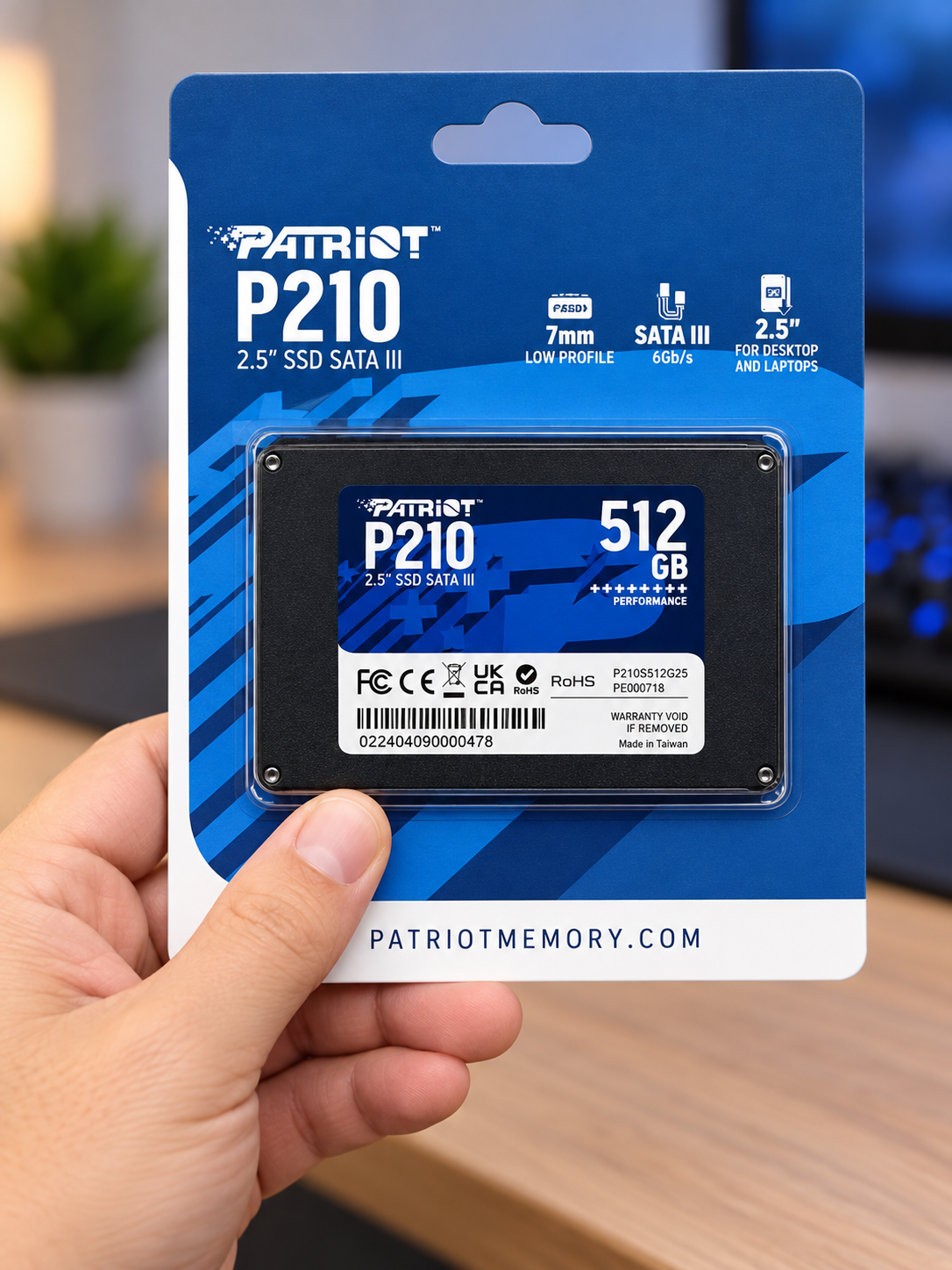
For the upgrade, I went with a Patriot P210 512 GB SATA SSD.
Nothing fancy.
No NVMe.
No expensive enterprise drive.
Just a straightforward SATA SSD that made sense for the hardware I was working with.
CyberTron is based on an older ASUS M5A78L-M PLUS/USB3 motherboard and AMD FX-era hardware.
There was no reason to spend money chasing storage performance that the platform couldn’t really take advantage of.
The goal wasn’t to install the fastest drive money could buy.
The goal was to remove the slowest part of the system.
And compared with a mechanical hard drive, even a basic SATA SSD is a huge improvement.
I Didn’t Want to Rebuild CyberTron
|
At this point, CyberTron had already accumulated quite a bit of work.
Ubuntu was installed and configured.
Docker was configured.
Ollama was installed.
Open WebUI was running.
Network settings were in place.
Applications and services were already configured.
Starting over with a clean Ubuntu installation would have worked.
But it also would have meant rebuilding everything I had already done.
That wasn’t the point.
This was a storage migration.
The existing CyberTron environment needed to move to the SSD intact.
So the plan was simple in theory.
Install the new SSD.
Move the existing Linux system to it.
Make sure the machine could boot from the SSD.
Verify that the operating system and services still worked.
Then figure out what to do with the old 1 TB hard drive.
Simple.
At least on paper.
The storage work took place during the August 12–13 upgrade period.
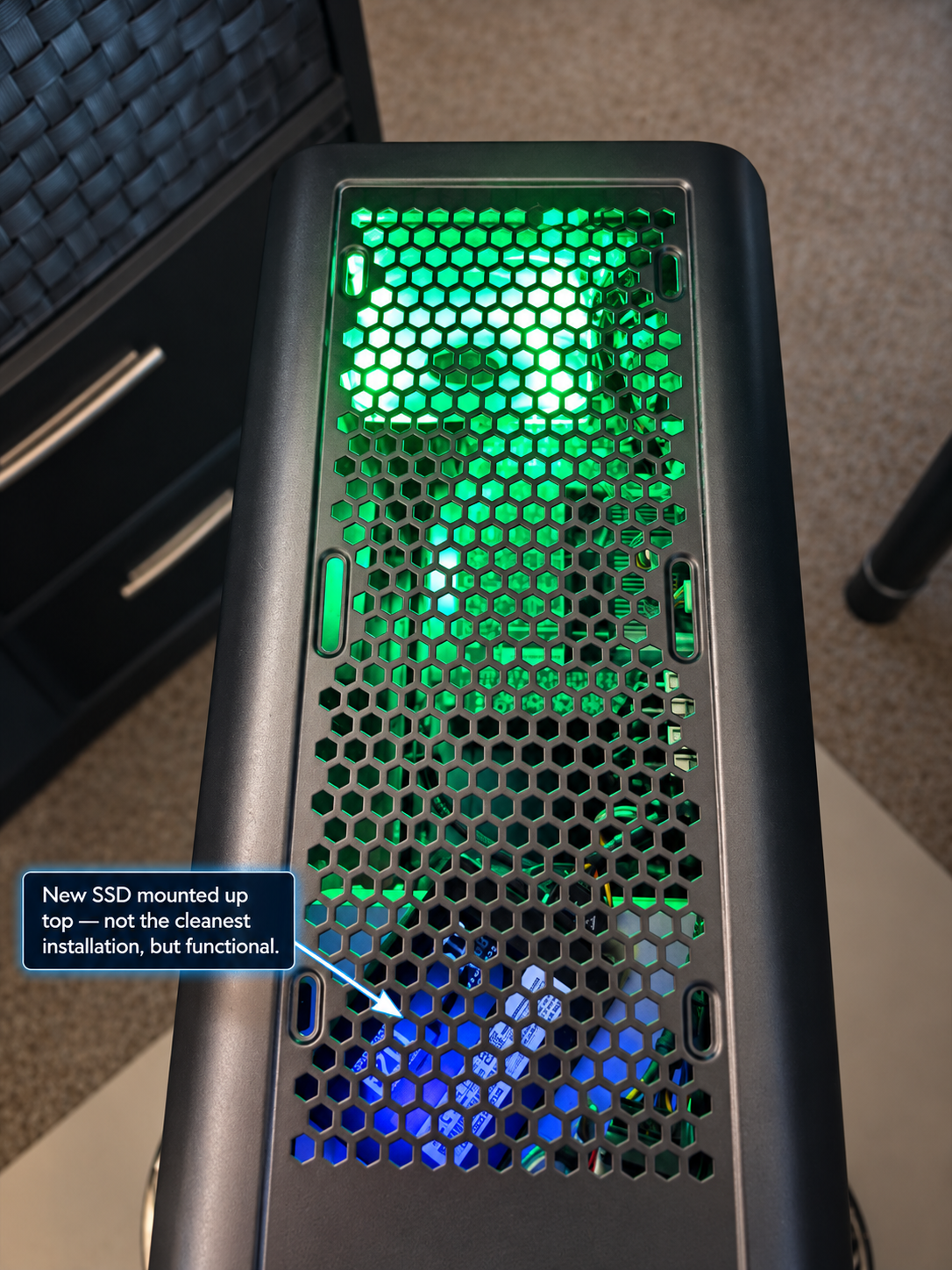
The Patriot P210 was installed, and the existing CyberTron Linux environment was migrated to the new drive.
Once the migration was complete, the SSD became the system drive.
The Linux root filesystem ended up on:
I labeled the filesystem:
That may seem like a small detail, but I like descriptive filesystem labels.
Device names such as /dev/sda, /dev/sdb, and /dev/sdc can change depending on how Linux enumerates hardware.
A label like CYBERTRON_ROOT tells me exactly what that filesystem is supposed to be.
That matters more once a machine starts accumulating multiple drives and network mounts.
The important part was that CyberTron now booted from the SSD and the existing environment remained intact.
No complete rebuild.
No starting over.
The machine simply had a much better system drive underneath everything I had already built.
The Old 1 TB Hard Drive Still Had a Job
|
Once the SSD became the operating-system drive, I had a perfectly usable 1 TB mechanical hard drive sitting in the machine.
There was no reason to throw it away.
Mechanical hard drives still have one major advantage.
Capacity is cheap.
So instead of retiring the drive, I repurposed it.
The old 1 TB hard drive was reformatted and turned into CyberTron’s local data drive.
After formatting, it provided roughly 916 GB of usable storage.
I mounted it at:
That gave CyberTron a much cleaner storage layout.
The SSD would handle the operating system, applications, and active system workload.
The hard drive would handle bulk data.
That makes a lot more sense than asking one old mechanical disk to do everything.
Separating System Storage From Data Storage
|
This was where CyberTron started to feel a little more like infrastructure.
Instead of having one drive containing the operating system, applications, data, logs, models, and whatever else I decided to throw at it, I now had distinct storage roles.
The Patriot P210 512 GB SSD became the fast system drive.
The 1 TB mechanical hard drive became the larger-capacity data drive.
That separation gives me options.
Large files don’t have to consume the operating-system disk.
Data can be organized separately from the OS.
Future migrations become easier.
Backups can be handled differently depending on what is being protected.
And if I eventually need more storage, I already have a logical place in the filesystem for it.
For a production server, none of this is revolutionary.
But remember where this project started.
This was a $150 used computer.
The goal has never been to pretend it is enterprise hardware.
The goal is to make smart upgrades and squeeze as much useful capability out of it as possible.
Bringing the NAS Into the Picture
|
CyberTron also had access to my existing network NAS.
The backup share was mounted at:
That gave me another level of separation.
The SSD handled the operating system.
The internal 1 TB hard drive handled local data.
The NAS handled network-accessible backup storage.
Now the storage layout looked much more intentional.
Not expensive.
Not complicated.
Just organized.
And organization starts to matter quickly once you have containers, AI models, configuration files, backups, databases, and test data all living on the same server.
It is very easy to turn a Linux box into a junk drawer if you don’t decide where things belong.
CyberTron was starting to get some structure.
What Did the SSD Actually Improve?
|
The most obvious improvement was responsiveness.
Booting was faster.
Applications loaded faster.
General system operations felt quicker.
Docker and its supporting files were no longer constantly hitting a mechanical drive.
Package updates were faster.
Anything involving lots of small reads and writes benefited.
This wasn’t the kind of upgrade where I could point at Ollama and say:
Look, now the model is twice as fast.
That isn’t what the SSD was for.
The RTX 3060 was the upgrade that changed AI inference.
The SSD changed the overall machine.
It removed unnecessary storage latency from the operating system and made the whole platform feel more responsive.
That distinction is important.
Not every upgrade needs to make benchmark numbers explode.
Sometimes the right upgrade is the one that eliminates a bottleneck you shouldn’t have had in the first place.
CyberTron Wasn’t the Same $150 Computer Anymore
|
This was the point where I started looking at the machine differently.
The original CyberTron had been a cheap experiment.
A used AMD FX-era desktop.
Sixteen gigabytes of RAM.
An older GPU.
A mechanical hard drive.
Nothing about it screamed “AI server.”
Then I started changing things.
The memory went from 16 GB to 32 GB.
The graphics card became an RTX 3060 12 GB.
The power supply had to be upgraded to support the new hardware.
And now the operating system was running from a 512 GB SSD, while the original hard drive had been repurposed for data storage.
Piece by piece, the machine I had originally bought for $150 was disappearing.
Not physically.
The motherboard was still old.
The CPU was still old.
The case was still old.
But the configuration was becoming something completely different.
And that raised a question I had been conveniently ignoring.
So What Did CyberTron Really Cost?
|
Calling CyberTron a “$150 AI server” was still technically true.
That was what the original computer cost me.
But by now, I had added RAM.
I had added the RTX 3060.
I had upgraded the power supply.
I had added the SSD.
And every one of those upgrades had a price attached to it.
So the next question became obvious.
Was this still a cheap AI server?
Or had I slowly turned a $150 bargain computer into a money pit one upgrade at a time?
That is what I wanted to find out.
In the next article, I’m going to break down the actual cost of CyberTron.
The original computer.
The memory upgrade.
The GPU.
The power supply.
The SSD.
The total investment.
Then I’m going to compare that cost against what it would take to buy or build something similar from scratch.
Because at some point, every budget build has to answer the same question.
Did I actually save money?
|
Or did I just spread the cost out over several questionable decisions?