
A full breakdown of the upgrades that turned a $150 computer into a $592.33 local AI workstation.
|
What started as a $150 used PC has grown into a $592.33 local AI workstation. In this installment of Building CyberTron, I break down the real out-the-door cost of every upgrade, including RAM, SSD storage, a new power supply, and the RTX 3060 12GB GPU. I also look at the hidden value of reusing displaced hardware across multiple workstations and answer the question every budget build eventually faces: did I actually save money, or just spread the cost across a series of questionable decisions?
|
Saturday, August 22, 2026
/Author:
Roggie D/Number of views (96)
/Comments (0)
/ Article rating: No rating
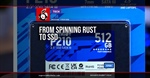
Moving CyberTron to solid-state storage without rebuilding the Linux environment from scratch.
| CyberTron’s next upgrade replaces the old mechanical system drive with a Patriot P210 512 GB SSD. This chapter covers the storage migration, repurposing the original 1 TB hard drive for data, and how separating system storage, local data, and NAS backups made the $150 AI server feel more like real infrastructure. |
Saturday, August 15, 2026
/Author:
Roggie D/Number of views (106)
/Comments (0)
/ Article rating: No rating
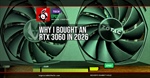
How 12 GB of VRAM turned an old AMD FX desktop into a much more capable local AI server.
| CyberTron takes another major step forward with an upgrade from a GTX 1060 6 GB to an RTX 3060 12 GB. This article looks at why VRAM matters so much for local AI, why an older 12 GB GPU still makes sense in 2026, and how the upgrade opened the door to larger models, bigger context windows, and 100% GPU inference on a $150 AMD FX-era machine. |
Thursday, August 13, 2026
/Author:
Roggie D/Number of views (102)
/Comments (0)
/ Article rating: No rating

How a simple 16 GB memory upgrade turned into a full hardware troubleshooting session.
|
What should have been a simple $25 RAM upgrade turned into a full-blown troubleshooting session. In Chapter 2 of Building CyberTron, I take the old AMD FX system from 16 GB to 32 GB of DDR3, fight through memory detection issues, test DIMMs and slots, update the BIOS, and learn once again that cheap old hardware rarely gives up without a fight.
|
Wednesday, August 12, 2026
/Author:
Roggie D/Number of views (96)
/Comments (0)
/ Article rating: No rating